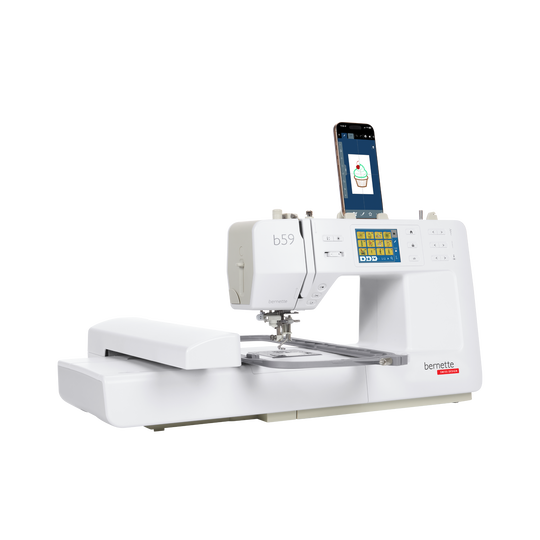
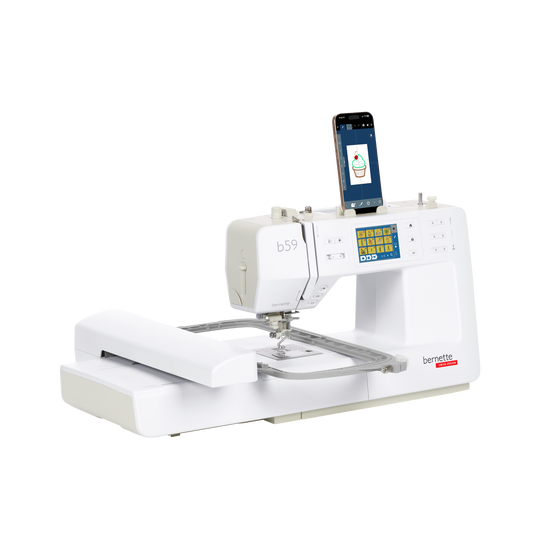
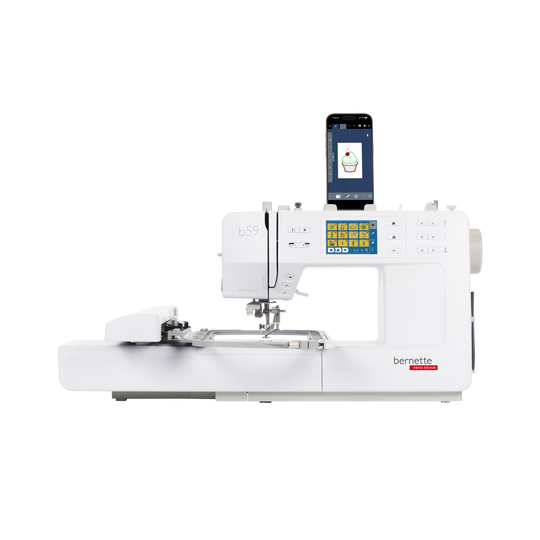
bernette 59
Artikelnr. 5220059024
€ 1.499,00
Beschikbaarheid online:
  • Dit item is momenteel niet beschikbaar

bernette 59
Artikelnr. 5220059024
bernette 59 image number

Productbeschrijving


Omschrijving

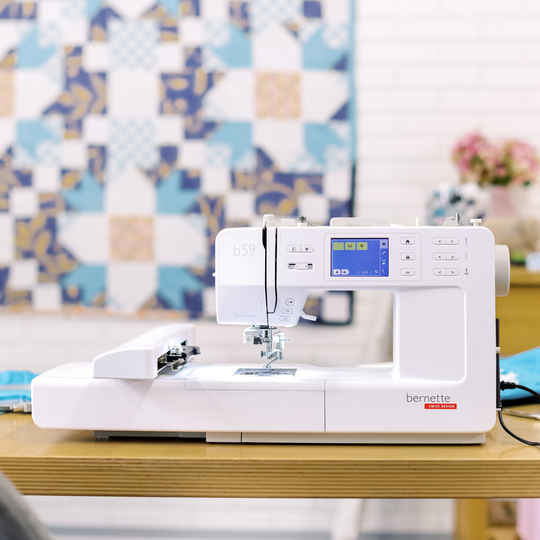
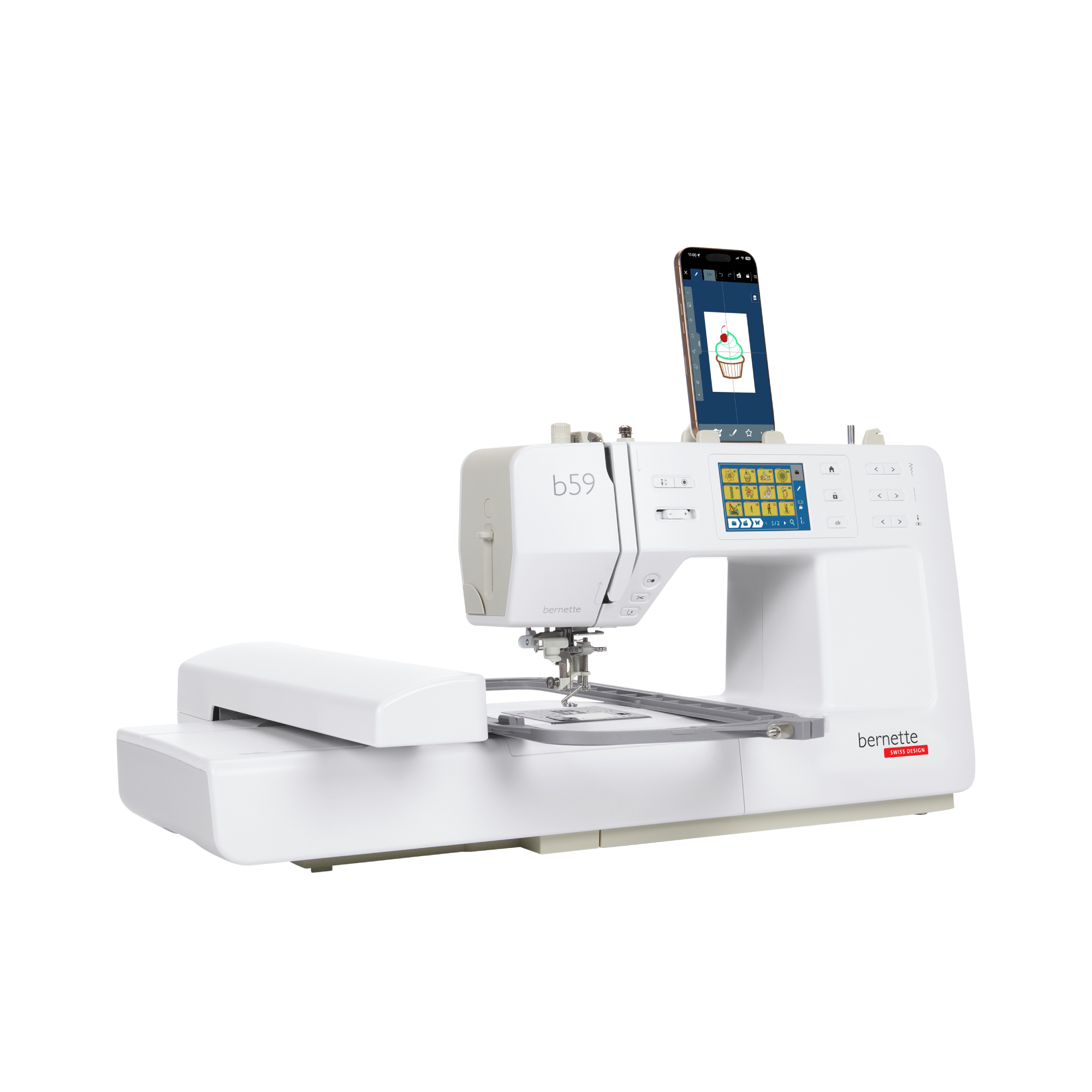
De kleine borduur- en naaimachine met optionele app voor nog meer mogelijkheden om te borduren


Functies

  • Gratis StitchDirect-app voor het bewerken en ontwerpen van borduurmotieven op uw mobiele apparaat
  • Borduurgebied van 4,7“ × 7“ (120 × 180 mm)
  • Inclusief multifunctionele borduurring voor een vergroot borduurgebied van 4,7“ × 11,8“ (120 × 300 mm)
  • In totaal 268 ingebouwde borduurmotieven, waaronder 11 lettertypes
  • In totaal 515 steken, waaronder 3 lettertypes
null

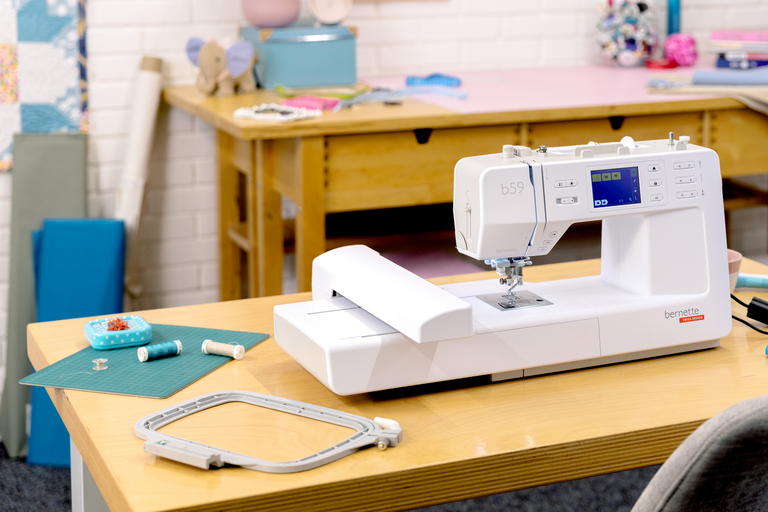
Borduurmodule met twee borduurringen en automatische ringdetectie


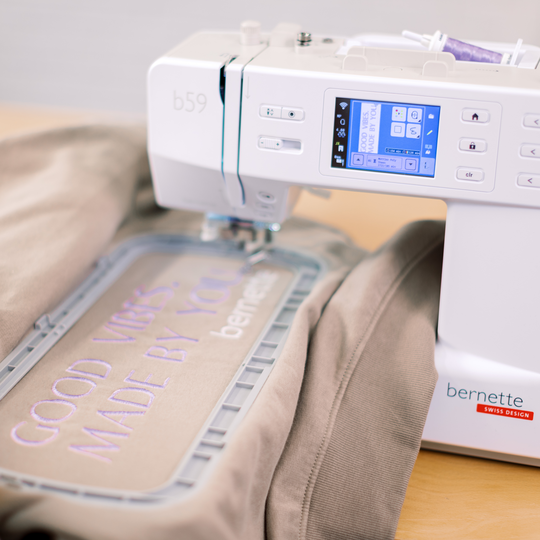
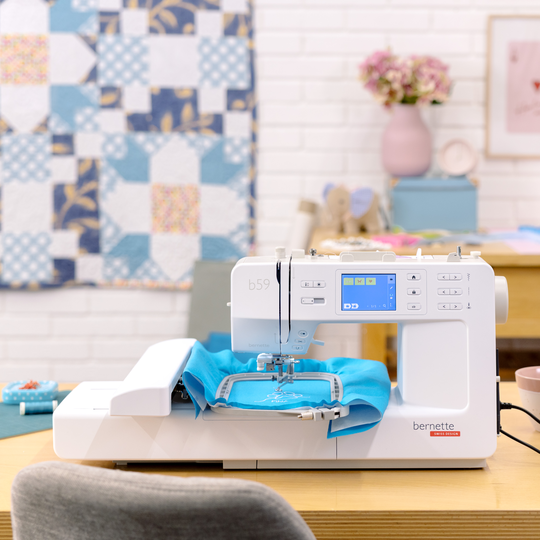
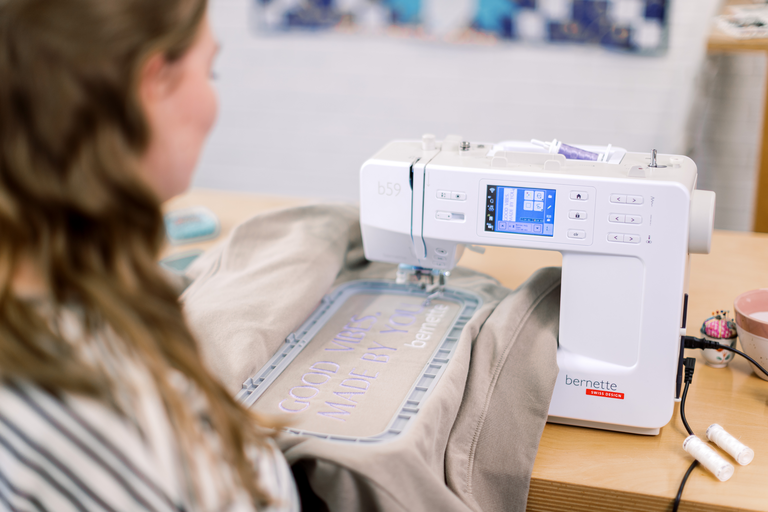
Klaar om te borduren? Met de b59 kunt u direct aan de slag, want de borduurmodule en twee borduurringen zijn al inbegrepen. De middelgrote ring (180 x 120 mm) biedt voldoende ruimte voor een breed scala aan borduurontwerpen. Voor langere letters en randen gebruikt u de verstelbare borduurring (300 x 120 mm). Deze kan eenvoudig in drie verschillende posities worden geplaatst, waardoor u een groter oppervlak kunt borduren terwijl uw stof in de ring gespannen blijft. Dankzij de automatische ringdetectie herkent de b59 de geplaatste ring en toont het beschikbare borduurgebied direct op het scherm.
null

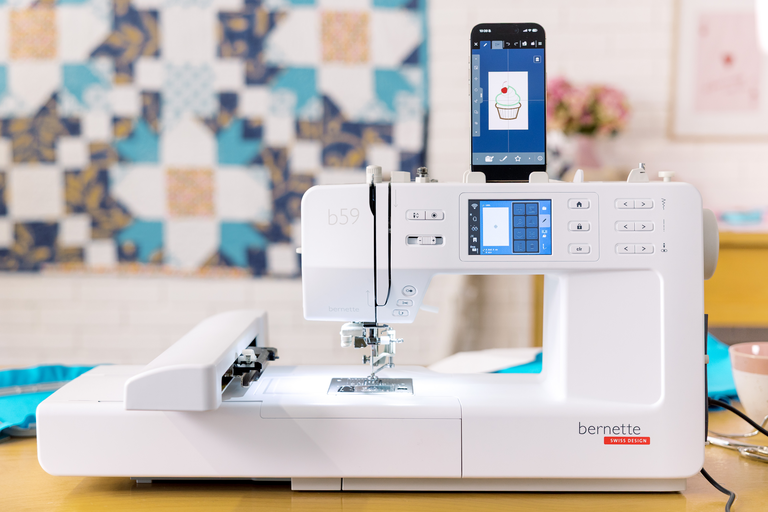
Blijf creatief met wifi en de StitchDirect-app


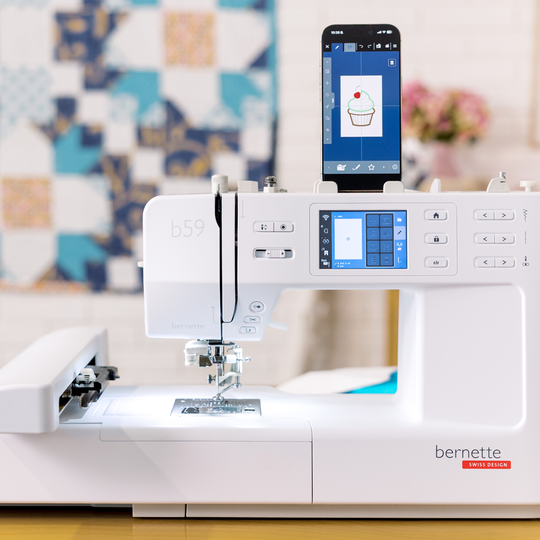
De StitchDirect-app breid je creatieve mogelijkheden uit tot buiten de naaimachine. Ontwerp je eigen motieven, bewerk borduurontwerpen of maak zelf decoratieve steken, rechtstreeks op je smartphone of tablet. Vervolgens hoef je jouw ontwerpen alleen nog maar via wifi naar de b59 over te zetten en kun je het borduurproces op elk moment volgen.

Zo kun je een spontaan idee eenvoudig omzetten in jouw volgende creatieve hoogtepunt.
null

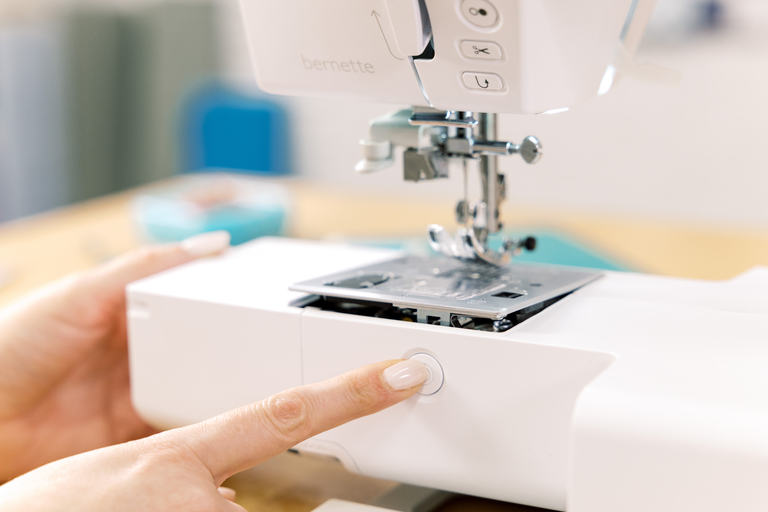
Comfort dat het verschil maakt


Dankzij de comfortabele naaldinrijger en de Click-&-Lift-steekplaat met hefmechanisme verloopt de voorbereiding van jouw volgende naai- of borduurproject bijzonder soepel. Met de b59-naaldinrijger is de naald in slechts enkele eenvoudige stappen ingeregen. De steekplaat kan met één druk op de knop worden opgetild en verwisseld, zonder dat je daarvoor een schroevendraaier nodig hebt.

Dit betekent dat je sneller aan de slag kunt en je kunt concentreren op wat het belangrijkst is: creatief zijn.
null

Wanneer ideeën grotere vormen aannemen


De meegeleverde multifunctionele borduurring bied je meer mogelijkheden voor grotere borduurprojecten. Met een borduuroppervlak van maximaal 120 × 300 mm (4,7“ × 11,8“) kun je moeiteloos langere teksten, randen en grotere motieven maken.

Meer creatieve vrijheid voor projecten die de afmetingen van een standaard borduurring te boven gaan.


Features and Functions
bernette 59
Belangrijk
We behouden ons het recht voor om wijzigingen aan te brengen in de uitrusting en het ontwerp.
bernette app stitch direct
USB-Anschluss (Host)
bernette app stitch direct
Spoelas, bovenzijde machine
Nadelstopp oben/unten, permanent (oben/unten)
De transporteur valt automatisch (quilten, borduren)
Draad weg beweging
Elektronisch pedaal
Afmetingen van borduurmodule L / B / H [mm]
172 206 300
Gewicht van borduurmodule [lbs/kg]
3.2 g
Gewicht Maschine
7,010 g
Lengte van vrije arm rechts van de naald [inch / mm]
170 mm
Hoogte werkruimte [inch / mm]
110 mm
Totaal geheugen [MB]
1.6 MB
Spoelhouder [nummer]
2
Ingebouwde draadloze technologie (intern)
Hoofdmotor, Type
DC
Needle threading, semi-automatic
Automatisch draadsnijsysteem (boven- en onderdraad)
Grijpersysteem
Drop-in
Versnipperaar Transporteur
bernette Two Level Presser Foot Lift
Instelbare naaivoetdruk
Mechanisch
Schermpositie
centraal
Bildschirmgrösse Touchscreen [Zoll]
3.5 inch
Touchscreen
ECO-functie
Aantal LED's
2
Einstellbares Licht über der Nadel
Snelheidsregelaar
Sensor voor steekplaatdetectie
Sensor bovendraadcontrole
Sensor onderdraadcontrole
Click- &-Lift-Stichplatte
Type machine
elektronisch
Steeklengte instellen
Balans voorwaartse/achterwaartse toevoer
Motiefbegin
Motiefeinde
Steekbreedte instellen
Drievoudige steek
Horizontaal of verticaal spiegelen
Gesamtzahl der Knopflöcher und Ösen
15
Knoopsgatautomaat met 3A naaivoeten (auto)
Rijgsteek nr. 21 (met bast-matic)
Bevestigingssteek (steek #5)
Naaldposities (rechts / links) [getal]
15
Instellingen van huidige steek opslaan (permanent)
Huidige steek toevoegen (persoonlijk programma)
Steekontwerper geïntegreerd in machine
StitchDirect App
Aanbevolen naaivoet (display)
Combinatie opslaan
Decoratieve steken naaien in totaal [aantal]
133
Naaisteken en tekens in totaal [aantal]
515
Naaialfabetten [number]
3
Musterwiederholung
1-9x
Overzicht van naaivoeten
Naaivoet selecteren
Motiefbewerking op het display
Naaigids
StitchDirect App
Instellingen- Naaien - instellingen voor automatisch vastzetten
Omtrek vrije arm in naaldpositie [mm]
300 mm
Steekbreedte max [mm]
7 mm
Maximale naaisnelheid [spm]
800 spm
Instelbare bovendraadspanning
adaptief
Naaivoetsysteem
Snap-on
Start-/stoptoets
Achteruitnaaitoets (handbediende afhechten)
Nuttige steken
26
Quiltsteken
49
Alfabetten/monogrammen
3
Stopprogramma's
2
Wedstrijdborduurmotieven lezen (gebaseerd op steken)
Borduurmotieven opslaan
Ongedaan maken
StitchDirect App
Stitchout time
Borduurraamherkenning
Virtuelle Positionierung
Selectievakje
Rijgsteek in de borduurring / rond het borduurmotief
Controle borduurverloop
Ondersteuning voor CutWork Tool
Ingebouwde borduurlettertypes (horizontaal&verticaal=1)
11
Borduurmotief geïntegreerd
268
Verschuiven
Wijzig de volgorde van de borduurlagen met drag en drop
Formaat patroon wijzigen: proportioneel (beperkt tot 80%-120%)
WordArt
StitchDirect App
Steektype wijzigen (lettering)
Combinatie van ontwerpen en belettering, borduurwerk
Kettingborduurmotieven functie
StitchDirect App
Verticaal uitlijnen
StitchDirect App
Lagen groep
StitchDirect App
Garenkleuren wijzigen
Monochrom
Instellingen - Borduren - Het borduurmotief centreren / de oorspronkelijke positie herstellen
Instelling - Borduren - inch/mm schakelaar
Instellingen - Borduren - Draadafsnijder door kleurverandering aan/uit
Instellingen - Borduren - Draadafsnijder - lengte van de sprongsteek instellen
Instellingen - Borduren - Steken handmatig/automatisch vastzetten
Borduurveld max, effectieve ruimte [inch / mm]
120x180
Maximale borduursnelheid [spm]
600 spm
Borduurmotiefoverdracht tussen machine en borduursoftware (vanaf V9)
Stofborstel
Naaldenassortiment
Net voor bovengarenklossen
Draadsnijder, kop / links
Home-knop
Tutorial
StitchDirect App

Tutorials

bernette 59 and 57 – Creative Sewing and Embroidery Starts Here
Looking for more than a compact sewing machine? The bernette 50 series delivers. The b57 makes sewing smooth and simple with smart comfort features and extra workspace. The b59 adds embroidery to your creative toolkit. Design, send, and stitch your ideas directly onto fabric using the integrated app. Perfect for creating one-of-a-kind pieces exactly the way you imagine them. Visit your local dealer to learn more about this new machine or explore bernette.com.
bernette 59 and 57 – Creative Sewing and Embroidery Starts Here
bernette 57 & bernette 59 | Key Sewing Features
How to Thread the bernette 57 & bernette 59 | Step by Step
Learn step by step how to thread your bernette 57 or bernette 59 correctly. In this video, we'll show you how to choose the right thread spool, wind and insert the bobbin, and thread the upper thread correctly. Correct threading is the foundation for beautiful stitch quality and helps prevent thread breakage and thread nests. Learn more about the bernette 50 Series: www.bernette.com/b50-series Or visit your local bernette dealer.
How to Thread the bernette 57 & bernette 59 | Step by Step
bernette 59 | Getting Ready to Embroider
Prepare your bernette 59 for your first embroidery project step by step. In this video, you'll learn how to switch your machine from sewing mode to embroidery mode and discover the key preparations for successful embroidery. You'll learn how to install the straight stitch plate and embroidery foot, attach the embroidery module, and choose the right embroidery hoop. We'll also show you which materials you'll need for embroidery and what to look for when choosing an embroidery needle, embroidery thread, bobbin thread (Bobbin Fill), and thread colours. In addition, you'll get practical tips on hooping your fabric, using the embroidery template, and selecting the right embroidery stabilizer. We'll explain the differences between tear-away, wash-away, cut-away, and self-adhesive stabilizers, and show you how temporary spray adhesive can be used when preparing your embroidery project. With the right preparation, you'll create the foundation for beautiful embroidery results and a successful start to your first embroidery project. Learn more about the b59: www.bernette.com/b59 Or visit your local bernette dealer.
bernette 59 | Getting Ready to Embroider
bernette 59 | Embroidery Made Easy
bernette 59 | Large Embroidery Designs with the Multi-Position Hoop
bernette 59 | Create Embroidery Designs with the StitchDirect App
bernette 59 | Connecting the StitchDirect App
Connect your bernette 59 to the StitchDirect App and enjoy a connected sewing and embroidery experience. In this video, you'll learn how to download the StitchDirect App and easily connect your b59 to your Wi-Fi network and mobile device. In just a few simple steps, the connection is set up and your b59 is ready to work with the StitchDirect App. You'll then discover how to select sewing stitches and embroidery designs directly in the StitchDirect App and send them to your b59. Learn more about the b59 and the StitchDirect App: www.bernette.com/b59 Or visit your local bernette dealer.
bernette 59 | Connecting the StitchDirect App
bernette 59 | Create Sewing Stitches with the StitchDirect App
Discover the creative sewing features of the StitchDirect App and create your own sewing stitches directly on your mobile device. In this video, you'll learn how to navigate the sewing mode and discover how to edit, combine, and customise existing stitches for your project. With the integrated Stitch Designer, you can modify existing stitches or create your own from scratch. We'll also show you how to move or delete individual stitch points and even use a background image as a template to trace your own stitch designs. You'll also discover the integrated Sewing Consultant, which helps you choose the right stitch, presser foot, and needle for your sewing project. Learn more about the b59 and the StitchDirect App: www.bernette.com/b59
bernette 59 | Create Sewing Stitches with the StitchDirect App